Microsoft Office remains one of the most important software ecosystems for students, freelancers, businesses, office users, teachers, agencies, content creators, and corporate professionals in Bangladesh. Whether someone needs Microsoft Word for document writing, Excel for spreadsheets, PowerPoint for presentations, Outlook for email management, or OneDrive cloud storage, Microsoft 365 has become the most complete productivity solution available today.
In Bangladesh, many users search for affordable Microsoft 365 subscriptions because official international pricing can be expensive after dollar conversion and international payment charges. Local subscription providers now help Bangladeshi users access Microsoft 365 subscriptions at much lower prices using local payment methods like bKash, Rocket, Nagad, Visa, Mastercard, and secure EPS payment gateway solutions.
BD Subscription provides Microsoft 365 subscriptions in Bangladesh with affordable pricing, ready-made organization accounts, personal email activation support, warranty coverage, and fast delivery.
Table of Contents
- What is Microsoft 365
- Why Microsoft 365 is Popular in Bangladesh
- Microsoft 365 Price in Bangladesh
- Organization Account vs Personal Email Account
- Why Microsoft 365 is Better Than Cracked Office
- Microsoft 365 Features Explained
- Microsoft Word Features
- Microsoft Excel Features
- Microsoft PowerPoint Features
- OneDrive Cloud Storage Benefits
- Outlook Email Benefits
- Microsoft Teams Benefits
- Microsoft 365 for Students
- Microsoft 365 for Freelancers
- Microsoft 365 for Business Users
- Microsoft 365 for Agencies
- Microsoft 365 for Remote Work
- Microsoft 365 for Teachers & Online Classes
- Office 2021 vs Office 2024 vs Microsoft 365
- Which Microsoft Office Version is Best
- Why Most Users Now Prefer Microsoft 365
- Microsoft 365 Installation Process
- Microsoft 365 Device Support
- What to Check Before Buying Microsoft 365 in Bangladesh
- Why Choose BD Subscription
- Supported Payment Methods
- How to Buy Microsoft 365 from BD Subscription
- Related Microsoft Tools & Services
- Frequently Asked Questions
- Final Verdict
What is Microsoft 365
Microsoft 365 Official Website is a premium subscription-based productivity suite developed by Microsoft.
Microsoft 365 includes access to:
- Microsoft Word
- Microsoft Excel
- Microsoft PowerPoint
- Microsoft Outlook
- Microsoft Teams
- Microsoft OneDrive
- Microsoft Defender
- Cloud storage services
- AI-powered productivity tools
Unlike older standalone Office versions, Microsoft 365 continuously receives updates, security improvements, cloud features, AI integrations, and device synchronization support.
Microsoft 365 is now widely used in Bangladesh for:
- Academic work
- Business documentation
- Freelancing
- Online classes
- Corporate workflow
- Presentation design
- Financial analysis
- Data management
- Remote work collaboration
Why Microsoft 365 is Popular in Bangladesh
The demand for Microsoft 365 subscription in Bangladesh continues increasing because modern work environments now depend heavily on digital productivity tools.
Students use Microsoft 365 for assignments and presentations. Freelancers use Excel and Word for client projects. Businesses use Outlook, Teams, and cloud storage for communication and workflow management.
The biggest reasons Microsoft 365 became popular include:
- Cloud-based access
- Multi-device support
- Automatic updates
- Genuine software access
- AI-powered productivity tools
- Large OneDrive cloud storage
- Collaboration features
- Security improvements
Many Bangladeshi users now prefer genuine subscriptions instead of cracked Office versions because pirated software creates security risks and update limitations.
Microsoft 365 Price in Bangladesh
If you want affordable Microsoft 365 subscriptions in Bangladesh, there are currently two popular options available through BD Subscription.
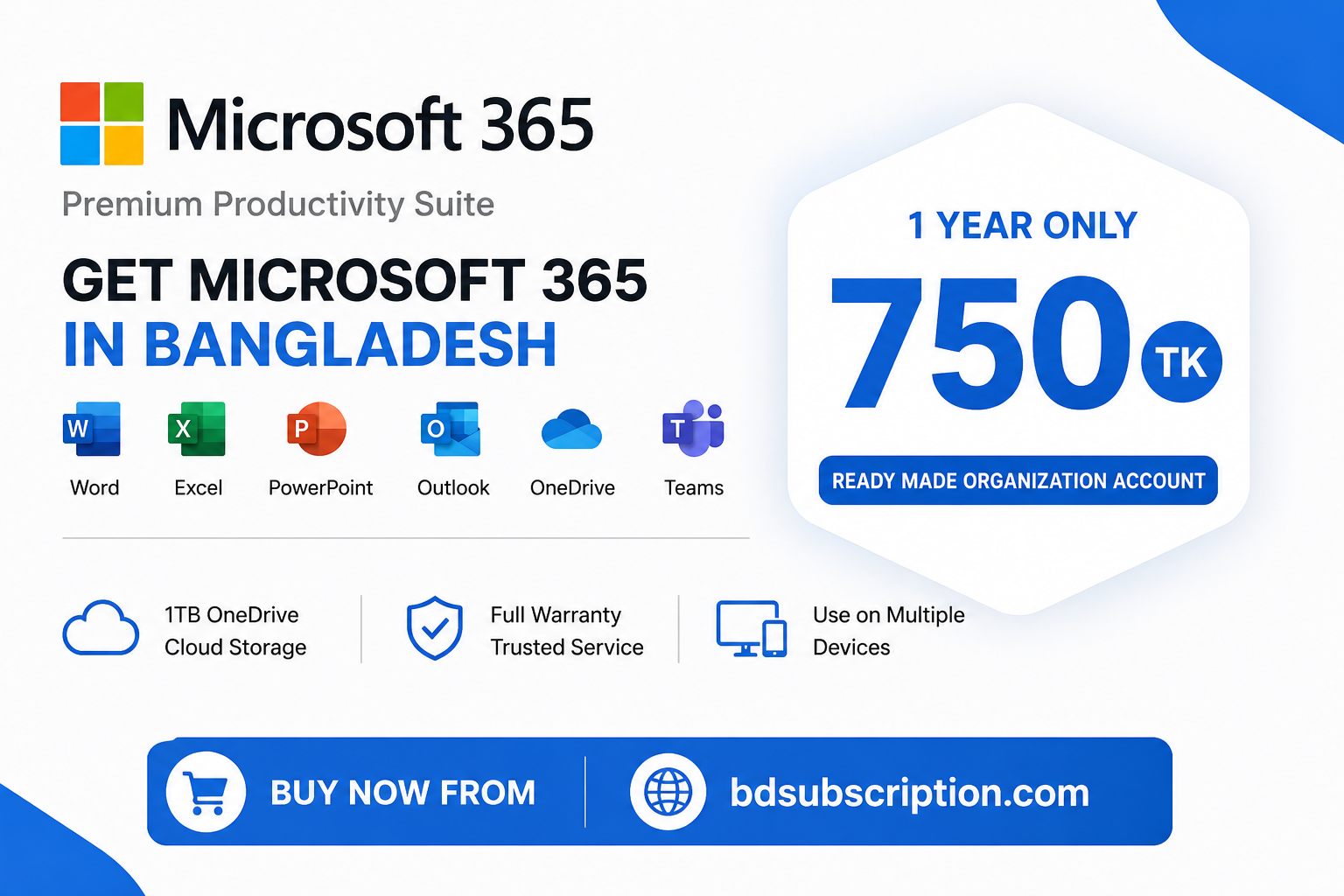
The organization account subscription includes a ready-made Microsoft 365 account with 1 year validity for only 750 TK.
Users who want Microsoft 365 activated directly on their own personal email account can choose the personal email activation option for 2000 TK with full warranty support.
Both plans provide genuine Microsoft 365 premium access suitable for students, freelancers, office users, agencies, and business professionals.
Organization Account vs Personal Email Account
Before buying Microsoft 365 in Bangladesh, users should understand the difference between organization accounts and personal email activation.
Organization Account
Organization accounts are ready-made premium Microsoft 365 accounts provided directly to users.
Advantages include:
- Lower pricing
- Instant access
- Fast activation
- Affordable long-term use
This option is highly popular among students and budget-conscious users.
Personal Email Account
Personal email activation upgrades Microsoft 365 directly on the user’s own email account.
Advantages include:
- Better account ownership
- Full account control
- Better privacy
- Professional workflow support
- Safer long-term usage
Freelancers, agencies, and businesses usually prefer personal email activation because it provides a more stable professional experience.
Why Microsoft 365 is Better Than Cracked Office
Many Bangladeshi users previously used cracked Office software because original licenses were expensive. However, pirated software creates serious problems.
Common risks include:
- Malware infections
- Security vulnerabilities
- Data theft risks
- No official updates
- Activation failures
- Cloud storage limitations
- Compatibility problems
Genuine Microsoft 365 subscriptions provide:
- Official updates
- Security patches
- Cloud services
- Device synchronization
- Genuine activation
- Better reliability
This is why many users now prefer affordable subscription options instead of cracked software.
Microsoft 365 Features Explained
Microsoft 365 includes multiple productivity tools designed for modern digital workflow environments.
Microsoft Word Features
Microsoft Word is one of the most widely used document-writing applications globally.
Word is useful for:
- Academic assignments
- Business proposals
- Resume writing
- Client documentation
- Reports
- Articles
- Contracts
Premium Microsoft 365 features include:
- Cloud saving
- AI writing assistance
- Collaboration tools
- Real-time editing
- Premium templates
Microsoft Excel Features
Microsoft Excel remains one of the best spreadsheet and data analysis tools available today.
Excel is widely used for:
- Accounting
- Data analysis
- Budget planning
- Business reporting
- Inventory management
- Freelance reporting
- Sales tracking
Advanced Excel features help freelancers and businesses improve productivity significantly.
Microsoft PowerPoint Features
Microsoft PowerPoint is one of the most powerful presentation tools globally.
PowerPoint is useful for:
- Business presentations
- Educational slides
- Online classes
- Product demonstrations
- Client proposals
- Training materials
Premium templates and collaboration features improve presentation quality significantly.
OneDrive Cloud Storage Benefits
Microsoft OneDrive allows users to store files securely online.
Benefits include:
- Cloud backup
- Multi-device access
- File synchronization
- Secure sharing
- Remote accessibility
This is especially useful for freelancers and remote workers.
Outlook Email Benefits
Microsoft Outlook helps users manage emails professionally.
Outlook is useful for:
- Corporate communication
- Client management
- Calendar scheduling
- Business email organization
Professional email workflow becomes much easier using Outlook.
Microsoft Teams Benefits
Microsoft Teams supports online meetings, collaboration, remote work, and team communication.
Teams became especially popular after remote work growth worldwide.
It supports:
- Video meetings
- Team collaboration
- File sharing
- Chat communication
- Online classes
Microsoft 365 for Students
Students in Bangladesh widely use Microsoft 365 for:
- Assignments
- Presentations
- Online learning
- Project reports
- Research work
Cloud storage and device synchronization are especially useful for academic workflow management.
Microsoft 365 for Freelancers
Freelancers depend heavily on Microsoft Office tools for client communication and project management.
Microsoft 365 helps freelancers with:
- Excel reporting
- Client proposals
- Documentation
- Data analysis
- Project planning
Freelancers working on Fiverr and Upwork often use Word and Excel daily.
Microsoft 365 for Business Users
Businesses use Microsoft 365 for:
- Employee workflow
- File sharing
- Team collaboration
- Client communication
- Financial reporting
Cloud-based productivity improves business efficiency significantly.
Microsoft 365 for Agencies
Agencies handling multiple clients benefit from:
- Shared collaboration
- Cloud storage
- Document management
- Team workflow optimization
Microsoft 365 simplifies communication and productivity for agency environments.
Microsoft 365 for Remote Work
Remote work requires reliable collaboration tools.
Microsoft 365 supports:
- Cloud-based workflow
- Remote meetings
- Online collaboration
- Shared document editing
This flexibility is extremely important for modern hybrid work environments.
Microsoft 365 for Teachers & Online Classes
Teachers use Microsoft 365 for:
- Online classes
- Assignment management
- Presentation creation
- Student communication
Microsoft Teams especially became essential for online education systems.
Office 2021 vs Office 2024 vs Microsoft 365
Many users ask which Office version is best.
Office 2021
Office 2021 is a one-time purchase version with basic features and no major future upgrades.
Suitable for:
- Offline users
- Basic office work
- Users who do not need cloud features
Office 2024
Office 2024 includes newer improvements compared to Office 2021 but still lacks many Microsoft 365 cloud features.
Suitable for:
- Users preferring one-time licenses
- Basic productivity environments
Microsoft 365
Microsoft 365 provides:
- Continuous updates
- AI-powered tools
- Cloud storage
- Device syncing
- Premium collaboration features
- Security improvements
For most modern users, Microsoft 365 is now considered the best overall productivity solution.
Which Microsoft Office Version is Best
For long-term flexibility, cloud services, collaboration, AI tools, and device synchronization, Microsoft 365 is generally the best option.
Office 2021 and Office 2024 are better for users who only want offline software without recurring subscriptions.
However, most students, freelancers, businesses, and agencies now prefer Microsoft 365 because workflow environments increasingly depend on cloud collaboration and remote access.
Why Most Users Now Prefer Microsoft 365 in Bangladesh
Modern productivity now depends heavily on:
- Cloud storage
- Remote work
- AI-powered assistance
- Real-time collaboration
- Multi-device synchronization
Microsoft 365 combines all these features inside one ecosystem.
This makes it more practical than older standalone Office versions.
Microsoft 365 Installation Process
Microsoft 365 installation is simple.
Users can:
- Login to Microsoft account
- Download Office apps
- Install on supported devices
- Activate premium subscription
Most installations complete within minutes.
Microsoft 365 Device Support
Microsoft 365 supports:
- Windows PC
- Mac
- Android phones
- iPhone/iPad
- Tablets
This flexibility allows users to work from multiple devices seamlessly.
What to Check Before Buying Microsoft 365 in Bangladesh
Before buying Microsoft 365 subscriptions, users should always verify:
- Whether the account is genuine
- Seller reputation
- Warranty policy
- Device support
- Activation type
- Payment security
Reliable sellers should also provide responsive support.
Why Choose BD Subscription
BD Subscription has become a trusted platform for digital subscriptions in Bangladesh because it focuses on affordability, accessibility, and customer support.
Advantages include:
- Affordable Microsoft 365 pricing
- Organization account support
- Personal email activation support
- Full warranty coverage
- Local payment methods
- Fast delivery process
- Responsive customer support
Supported Payment Methods
Users can pay securely using:
- bKash
- Rocket
- Nagad
- Visa
- Mastercard
- American Express (Amex)
- Internet Banking
- CellFin
through secure EPS payment gateway support.
How to Buy Microsoft 365 from BD Subscription
- Choose your microsoft 365 plan
- Complete payment using local MFS or EPS payment gateway
- Send payment confirmMation
- Receive activation details quickly
- Start using Microsoft 365 premium features instantly
Related Microsoft Tools & Services
You may also like:
Frequently Asked Questions
What is the latest Microsoft 365 price in Bangladesh?
Organization account subscriptions start from 750 TK yearly, while personal email activation costs 2000 TK yearly.
Which option is better: organization account or personal email account?
Personal email activation provides better ownership and stability, while organization accounts are more affordable.
Is Microsoft 365 better than Office 2021?
Yes. Microsoft 365 provides updates, cloud storage, AI tools, and collaboration features unavailable in Office 2021.
Does Microsoft 365 support Android and iPhone?
Yes. Microsoft 365 supports Windows, Mac, Android, iPhone, and tablets.
Can I pay using bKash?
Yes. Users can pay using bKash, Rocket, Nagad, Visa, Mastercard, Amex, Internet Banking, and CellFin.
Final Verdict
Microsoft 365 has become one of the best productivity ecosystems for students, freelancers, agencies, businesses, teachers, and remote workers in Bangladesh.
From Word and Excel to PowerPoint, Outlook, Teams, and OneDrive cloud storage, Microsoft 365 combines everything modern users need inside one premium subscription platform.
Compared to Office 2021 and Office 2024, Microsoft 365 provides better long-term flexibility, AI-powered features, cloud collaboration, automatic updates, and multi-device support.
For users searching for the lowest Microsoft 365 price in Bangladesh or looking for a trusted Microsoft 365 subscription seller in BD, BD Subscription provides affordable organization accounts, personal email activation, warranty support, local payment methods, and fast delivery solutions.

Microsoft Office 365 Subscription in Bangladesh
- Genuine Microsoft 365 Access
- 1-Year Subscription – Full access to Word, Excel, PowerPoint, Outlook, Teams, and 1TB OneDrive
- 1 TB OneDrive Storage
- Full Warranty – Support included throughout the subscription period
- Lowest Microsoft Office 365 Subscription Price in Bangladesh
Two Plans Available
- Readymade Account – You will receive Readymade Microsoft 365 account login details.
- Own Account Upgrade – Your existing Microsoft account will be upgraded; the subscription will be activated on your email.
Explore Top Subscription

Beautiful AI Pro in Bangladesh


Claude Ai Price in Bangladesh
Descript Subscription in Bangladesh

Dzine Premium Subscription in Bangladesh